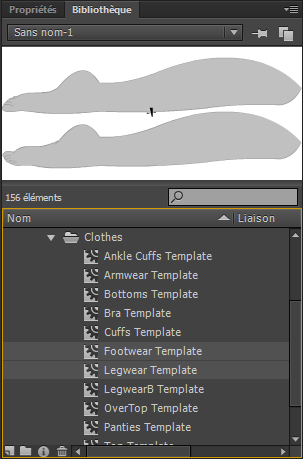
For Vanilla, it is possible to mix only one footwear mod, one bottoms and one top (plus eventually accessories and piercings)?
Yes. But
(as you've already seen) the layering rules don't quite behave in the way that you want: the BOTTOMS item will be drawn
on top of everything else: FOOTWEAR, LEGWEAR, CUFFS, etc.
Options (this list is not exhaustive):
- categorize the stockings as a BODY mod
- pro: it will be drawn on a suitable layer (below trousers and shoes)
- con: it will be influenced by skin-HSL tint changes
- con: it will not be influenced by clothing RGB sliders
- categorize the stockings as a LEGWEAR mod
- pro: it will be drawn on a suitable layer (below pants and shoes)
- pro: it will be influenced by clothing RGB sliders
- con: it will be invisible to vanilla uses (Loader people will see shoes and stockings; vanilla people see only shoes)
- con: you won't even be able to preview your own work in-game unless you install the Loader
- crop your stockings at the ankle (so that they don't cover the feet) and categorize them as BOTTOMS
- pro: the layering problem still exists, but it's less likely to be noticed (eveningwear shoes are ok; tall boots will look stupid)
- con: the cropped stockings aren't really "stockings" anymore ... they're more like "leg warmers"
My preference would be to use the LEGWEAR category and say
"to hell with vanilla users!" If you feel more generous towards the vanilla folks then that's certainly commendable, but please be aware that you will need to suffer
(in terms of artistic limitations, visual compromises, or additional work) in order to accommodate them.
In fact, I want to make a belt, but if I make a special mod for this belt using a top template for example, I cannot put this belt AND another top mod, I must put them together in the same mod?
Short answer: use the
overwrite parameter.
Long answer: SDT allows for an unlimited number of visible clothing elements which share the same template category. The trick is that mod-makers can choose to set
var overwrite:Boolean=true; in the ActionScript settings for their mods. When the game encounters this flag in an incoming SWF file, it will automatically clear out any existing mods clothing of that category before loading the newly-selected mod.
The behavior can be somewhat confusing for players -- especially newbies. If you load an
overwrite=false mod
after an
overwrite=true mod, then both of them will appear (i.e. the girl will be wearing two shirts with bits of cloth overlapping and clipping through each other). But if you load the
overwrite=false mod
first, then the subsequent
overwrite=true mod will simply replace it (i.e. the girl will be wearing only one shirt). Load-order becomes important.
Some mod-writers overuse the flag and set
overwrite=true on
all of their work, simply to avoid the weird behavior. One important advantage of sby's
moreClothing mod is that it allows players to experiment with clothing combinations (such as "undershirt + overshirt") which would normally be
impossible because of the hardcoded
overwrite policy.
Options:
- categorize the belt as TOP (or BOTTOMS, depending on its size) and publish it as a standalone mod with overwrite=false
- remind users that they'll need to load the belt SWF file after they've already loaded the rest of your costume
- draw the shirt and belt on a shared canvas, then publish the whole thing as a single TOP item
- categorize the belt as BOTTOMS, combine it with a TOP shirt and FOOTWEAR shoes (as separate objects within your FLA source file), and then publish the whole thing as one SWF file
- load-order doesn't matter anymore -- the belt has become a mandatory part of the costume
- if you want the belt to be optional, then you'd need to publish two versions of the costume SWF file (with belt, without belt)